A quiz after each story
Three choices per question, read out loud. A cheer for each right answer, and stars for the final score.
 Pop-up storybooks for ages 3–6
Turn a page and a little paper scene pops up from the book. A natural AI narrator reads each story aloud, with every word highlighted as it’s spoken. Original stories, Grimm’s fairy tales and Chinese idiom stories, all gently told for little ones.
Every picture on this page is a real screen from the app.
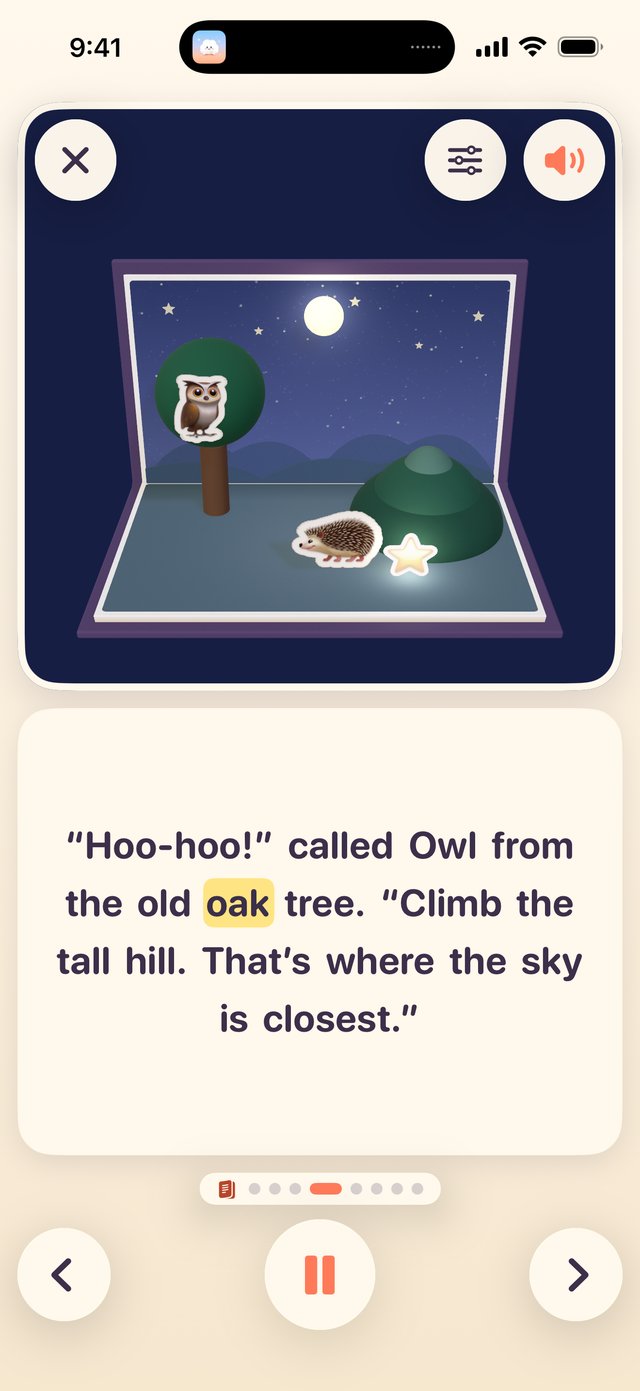
Open a page and the trees, houses and animals rise from the paper one by one. A natural AI narrator reads the story aloud, the words light up as they’re read, and you can make the reading slower or faster.
Every story is gentle and made for ages 3–6, with a little quiz at the end. Each story downloads the first time it’s opened, and then works offline.
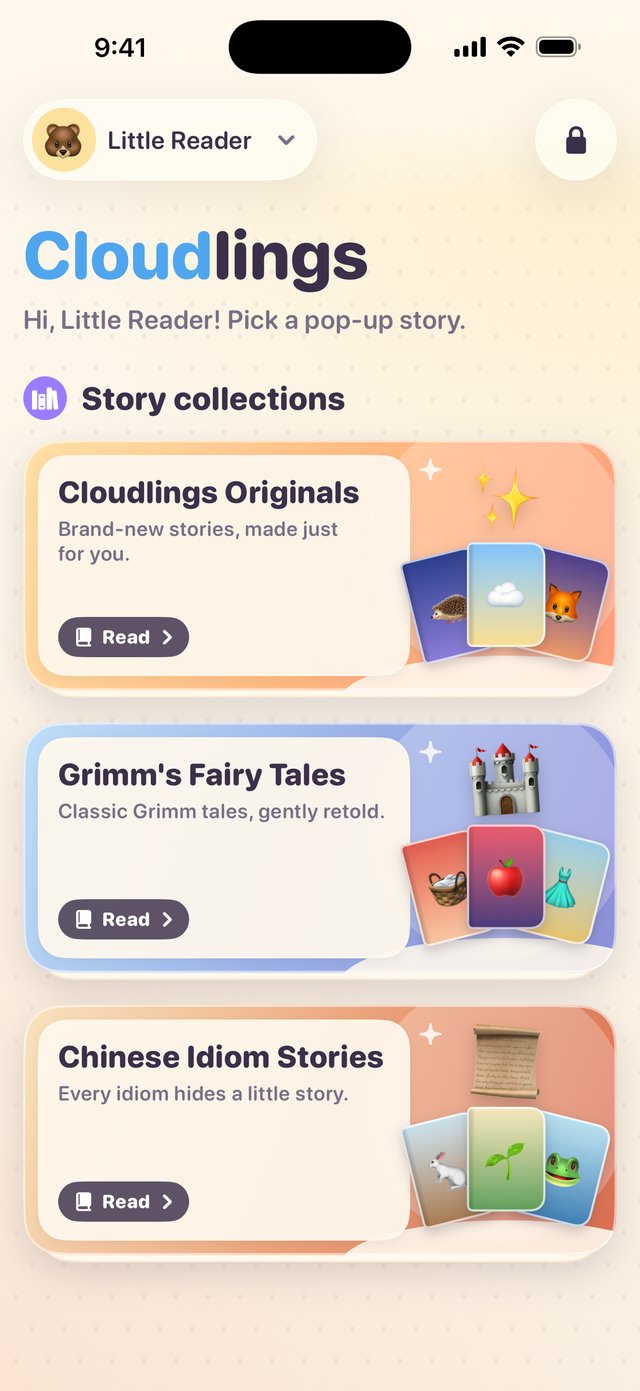
Brand-new stories written for little ones: saying good night, making friends, sharing, not being afraid of the dark, the first day at kindergarten, big feelings…
Classic Grimm tales, gently retold for little ones: Little Red Cap, Snow White, Cinderella, The Frog Prince…
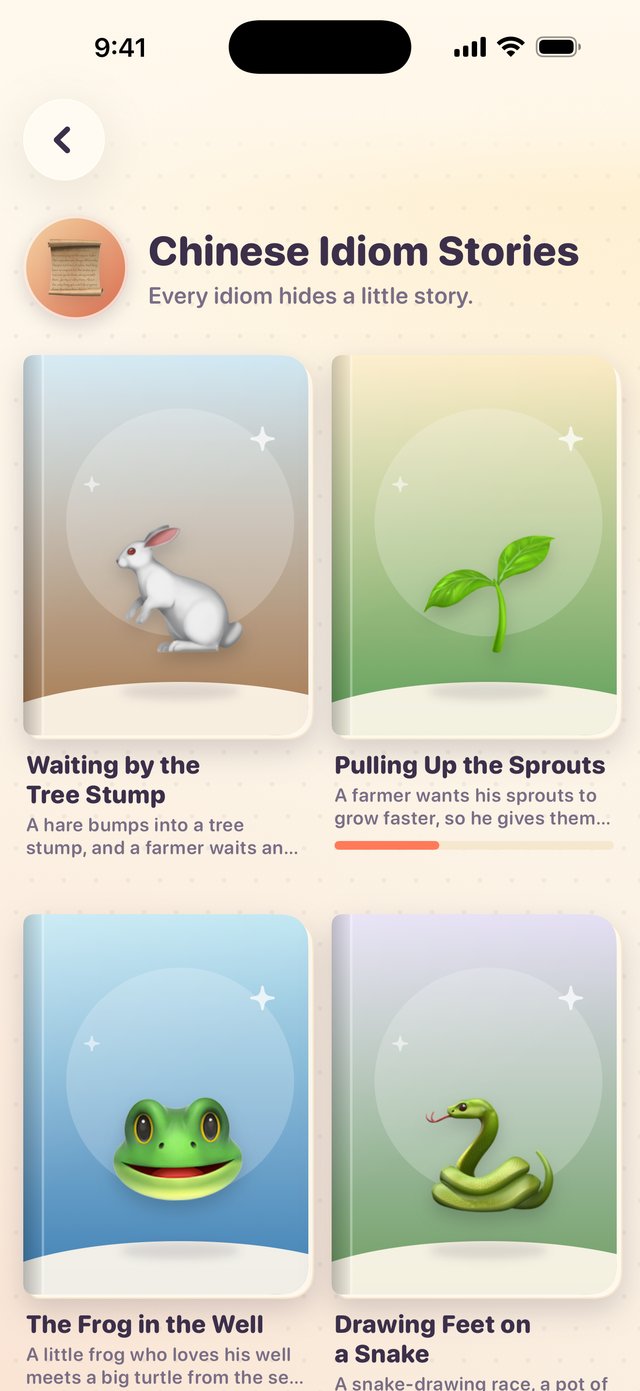
Every idiom hides a little story: Waiting by the Tree Stump, Pulling Up the Sprouts, Drawing Feet on a Snake… Each tells where the idiom comes from and ends with what it means today.
New stories are added from time to time: when you’re online, they appear on the shelf by themselves, with no app update needed.
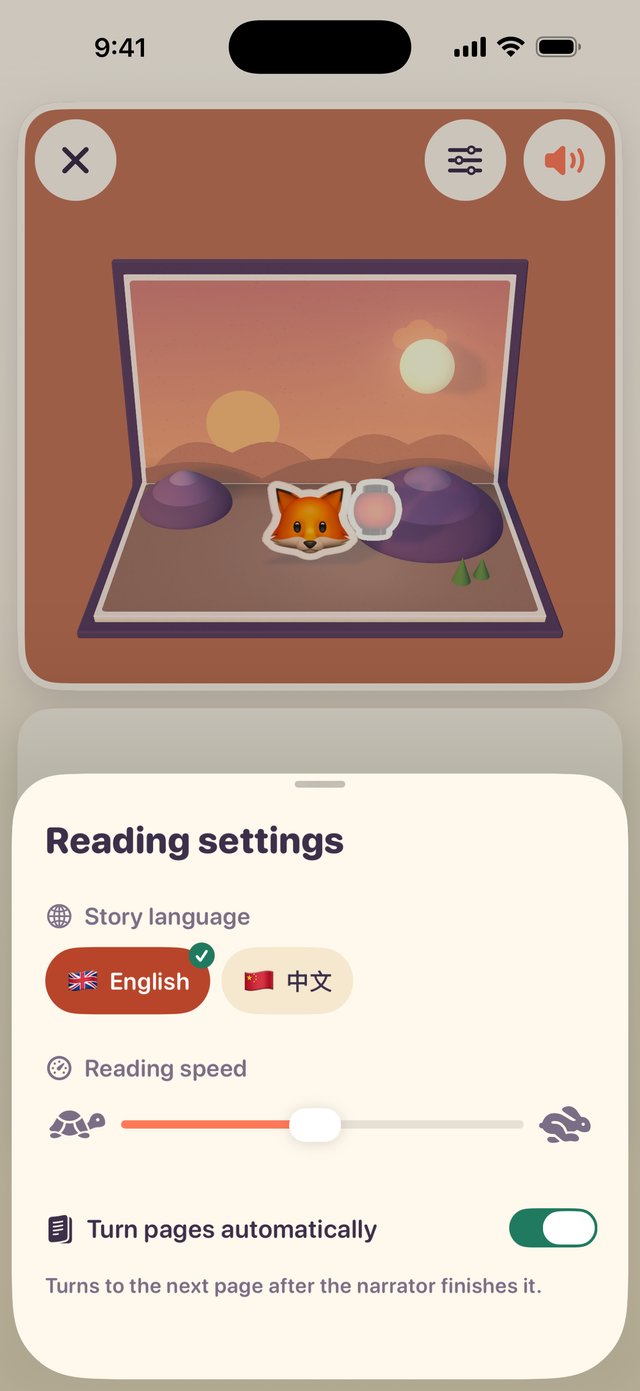
Tap the settings button at the top of the reader to change the language, the reading speed and automatic page turns.
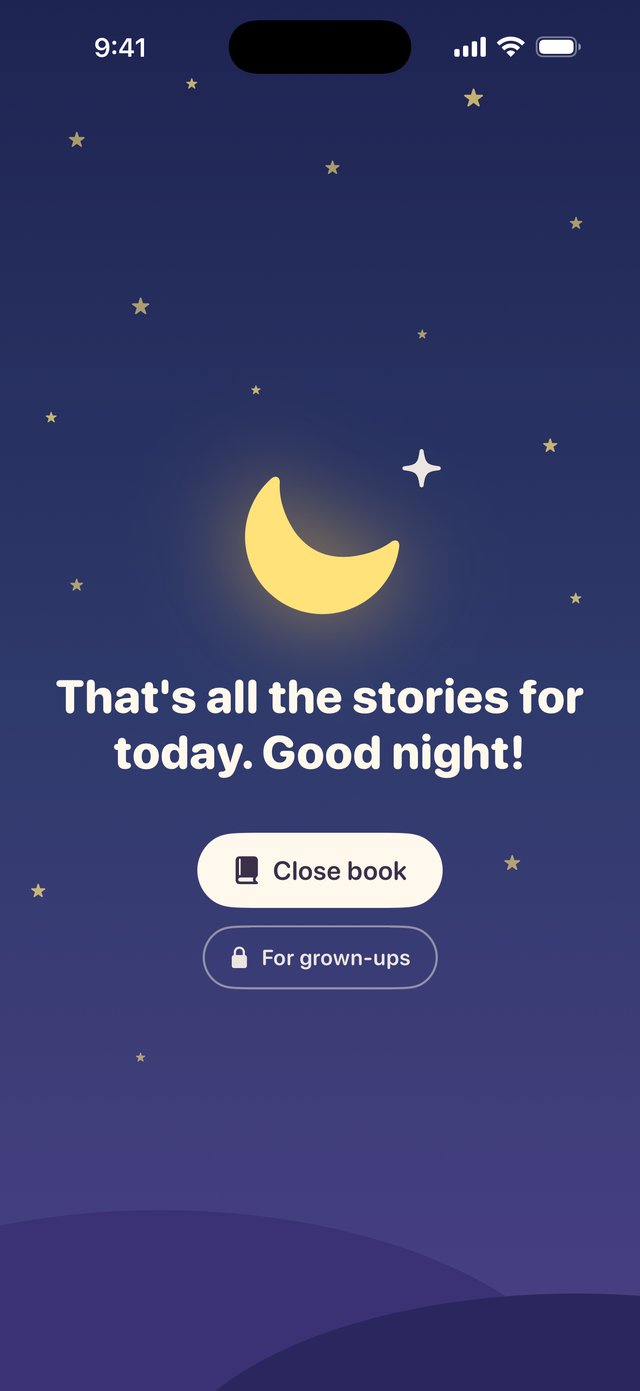
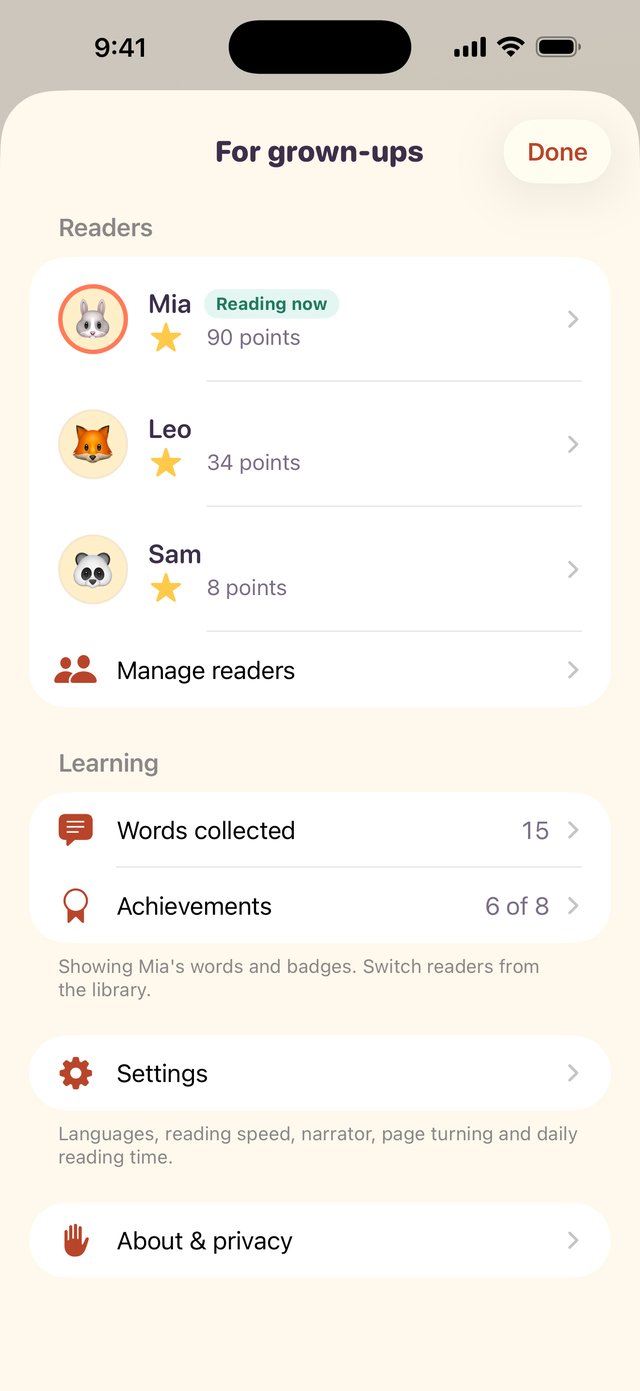
The grown-ups area sits behind a multiplication question. There, parents can set how long the kids read each day. When the time is up, nothing stops mid-sentence: the current page is finished first, then the screen fades to good night.
Three choices per question, read out loud. A cheer for each right answer, and stars for the final score.
Tap a prop in the scene to hear its name, and the word goes into the reader’s word book. The more you read, the more you collect.
The more you read, the more points you earn, and you unlock achievements like Bookworm and World Reader.
Brothers and sisters each get their own reading progress, collected words and achievements.
Settings, reader management and every external link sit behind a parental gate: a random multiplication question that young children won’t stumble through.
Supports VoiceOver and Reduce Motion (page turns, confetti and other animations get gentler), and Dynamic Type in the grown-ups area.
Cloudlings is an app for children, and it does one thing: tell stories well.
No ads, and no external links, sharing or rating pop-ups in the parts of the app children use.
No third-party SDKs and no third-party analytics or ad code; no tracking across apps or websites, and no cookies.
No account and no login: open it and start reading. Reader names are only shown inside the app, so a nickname is fine.
Reader names, reading progress, collected words, achievements and reading time are stored only on the device and never sent to us (like other app data, they’re included in your own iCloud or computer backups).
We only count installs: when the app checks for updates, it sends a random device number and basic device details (app version, system, device model, language and region). They’re used only to count installs and show update notices, aren’t linked to a name or account and aren’t used for ads, and are deleted once a device hasn’t checked in for 400 days. Story downloads carry no device number or reader data. See the Privacy Policy for details.
Only the first time you open a story: the app downloads that story together with its narration. Downloaded stories are kept on the device and work offline after that.
When you’re online, the app checks for new stories and corrections, and new stories appear on the shelf by themselves. Without a connection, the stories you’ve already downloaded keep working.
It’s currently completely free: all stories, no ads and no in-app purchases. If paid content is added in the future, it will be clearly stated on the App Store page and in the app.
It stays on the device. Reader names, reading progress, collected words, achievements and reading time are stored only on this device, are never sent to us, and are deleted along with the app. Cloudlings has no accounts, no ads and no third-party analytics or ad code.
We only count installs: when the app checks for updates, it sends a random device number plus the app version, system, device model, language and region, which we use to count installs and show update notices. The number isn’t linked to a name or account, it’s deleted once a device hasn’t checked in for 400 days, and it isn’t shared with anyone except Alibaba Cloud, which hosts our server. Story downloads carry no device number or reader data. See the Privacy Policy.
Mainly ages 3–6. It’s rated 4+ on the App Store.
Every story is gentle: the originals are about everyday things like saying good night, making friends and not being afraid of the dark; the Grimm’s fairy tales are gently retold for little ones; and each idiom story explains where the idiom comes from and ends with what it means today.
Open For grown-ups (answer a multiplication question first) and choose 15, 30, 45 or 60 minutes a day under Settings › Reading time. All readers on the device share it. When time is up, the app finishes the current page and shows the good-night screen, where a parent can add 10 or 20 more minutes for today.
It’s a gentle limit inside the app. For stricter control, use Screen Time in iOS.
Email ytappledeveloper@163.com or visit the Help & Support page. Questions, suggestions and story wishes are all welcome.
iPhone & iPadiOS 18 or laterCurrently free