 Countdowns & Anniversaries
DayhugCircle the DaysThat Matter
Count down to the next birthday, holiday or trip, and count up the days since you met, married or welcomed your baby. Chinese lunar birthdays come out right, leap months included — and widgets and the Dynamic Island show how many days are left at a glance.
- Free, no ads
- No account
- iPhone · iOS 17 or later
- English · 简体 · 繁體
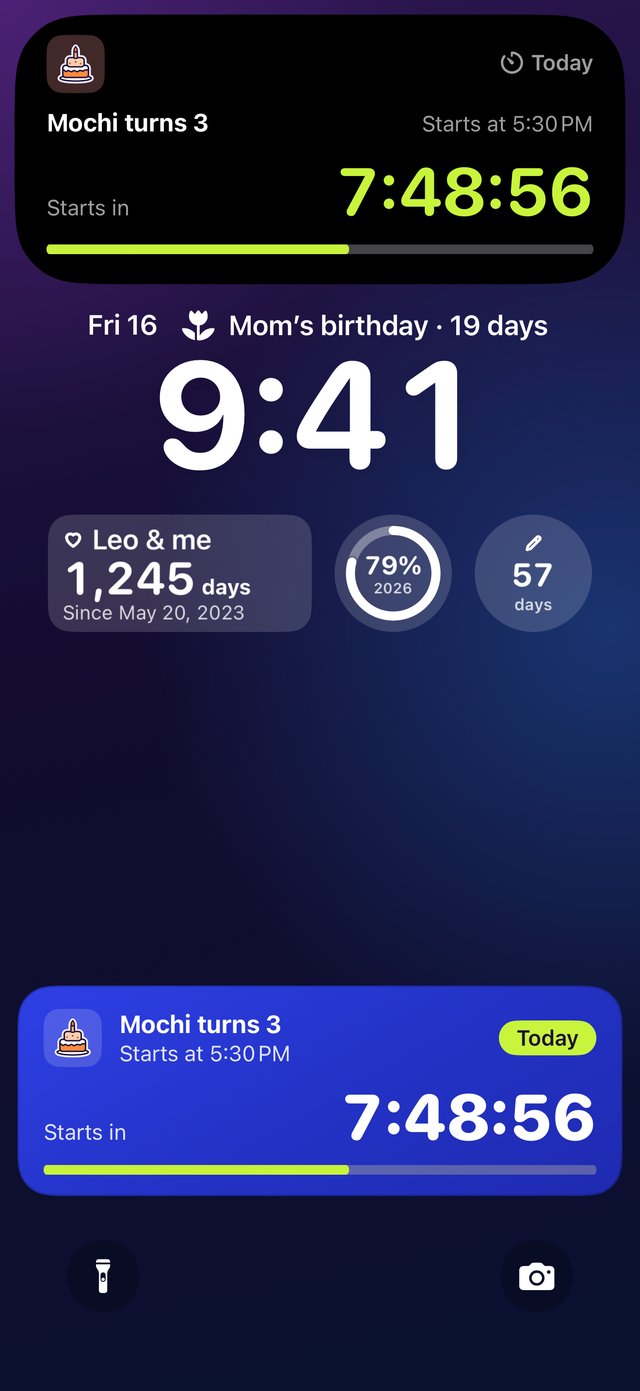
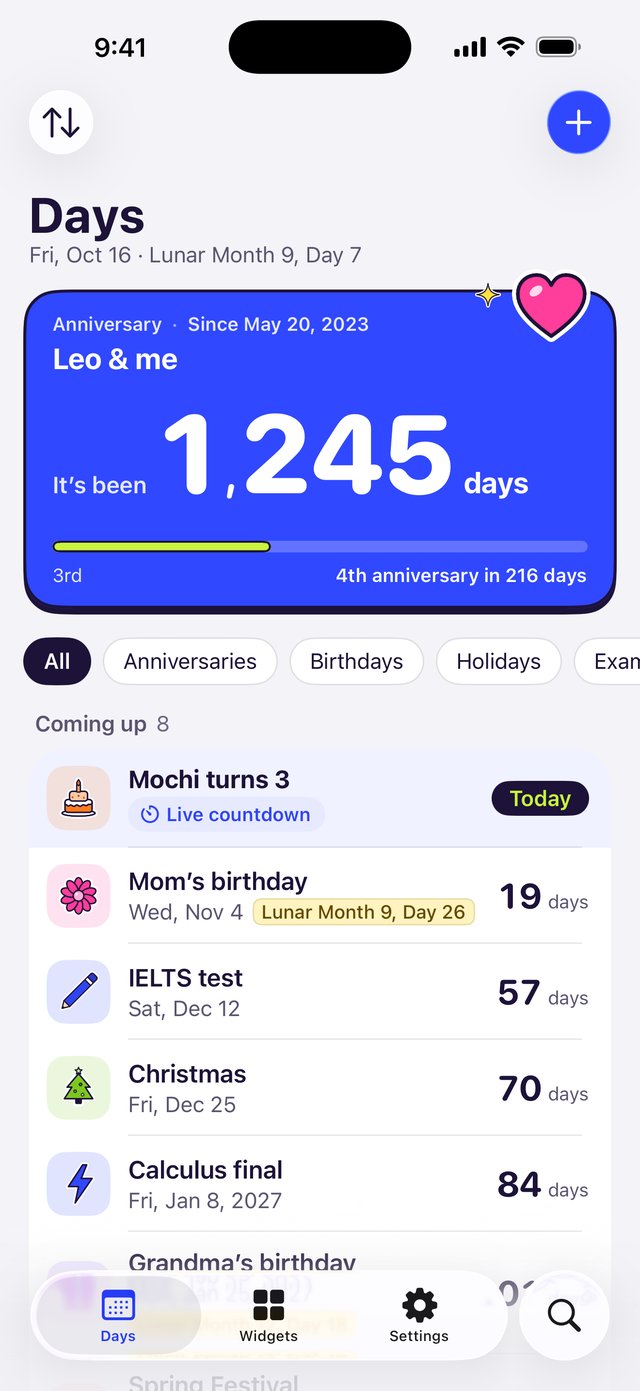
How Many Days Left, at a Glance
Everything below comes from the app.
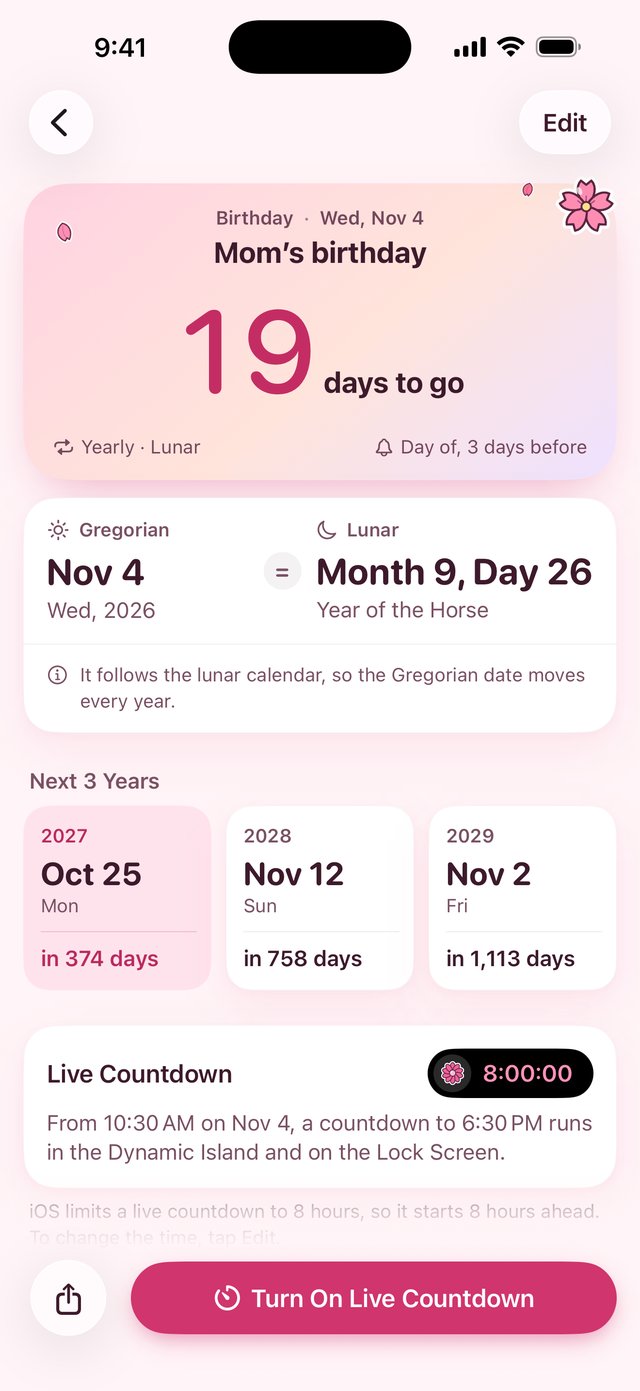
Lunar Birthdays, Never Missed
Does someone in your family celebrate by the lunar calendar? Add the date once and Dayhug works out the Gregorian date every year — which day it is this year, how many days are left, and the years after.
-
Leap Months and Missing 30thsWhen a leap month or the 30th doesn’t exist this year, Dayhug follows the rule you choose and explains on the detail screen where the date landed and why. You also decide how Feb 29 is counted in other years.Lunar Month 9, Day 26 → Nov 4, 2026
-
Holidays in a TapPick from public holidays, traditional festivals, solar terms and international days, several at once — with the official mainland China holiday and make-up workday schedule.
-
Anniversary MilestonesDay 100, day 1,000 and every anniversary, kept track of for you.
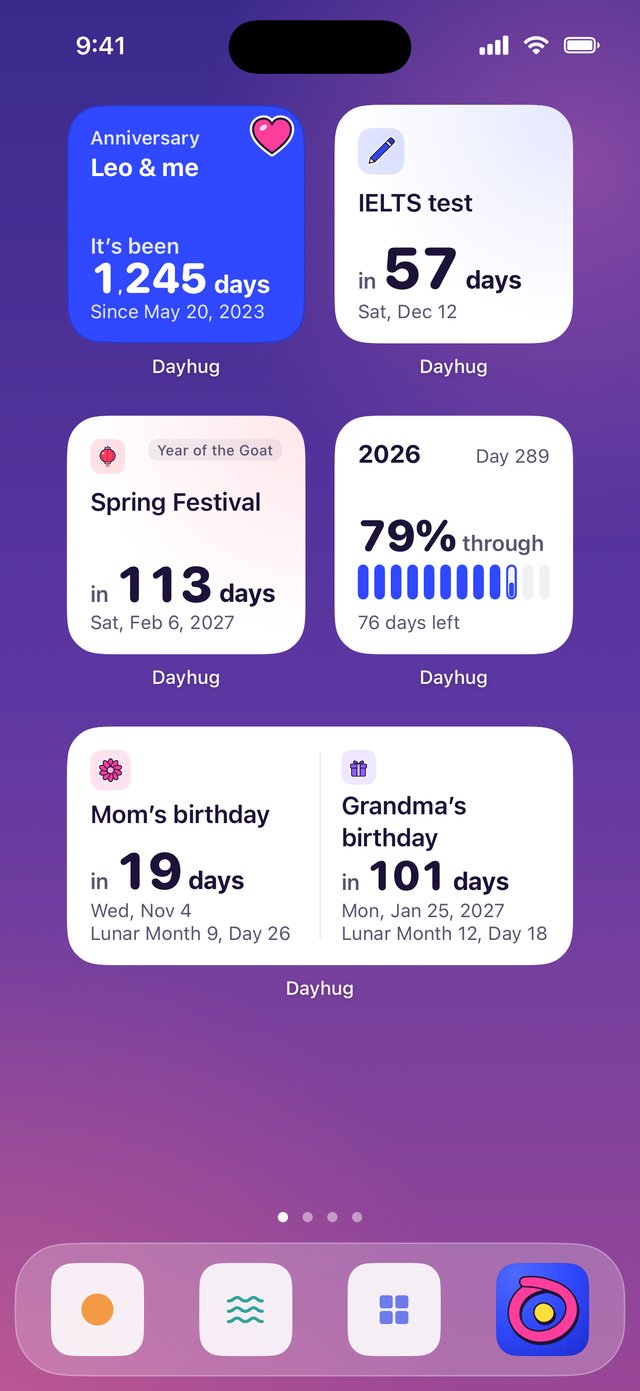
Widgets and the Dynamic Island
No need to open the app: see how many days are left on the Home Screen, the Lock Screen and in the Dynamic Island.
-
Home Screen and Lock Screen WidgetsOne day or two, milestones, holidays, year progress, what’s coming up or a month calendar, in several sizes, refreshed right at midnight. They show up in StandBy too.
-
Live CountdownOn the big day, put a second-by-second countdown in the Dynamic Island and on the Lock Screen — or have it start by itself.
-
Matches Your Theme and LanguageWidgets use the same theme and language as the app, and support the system’s tinted and clear styles.
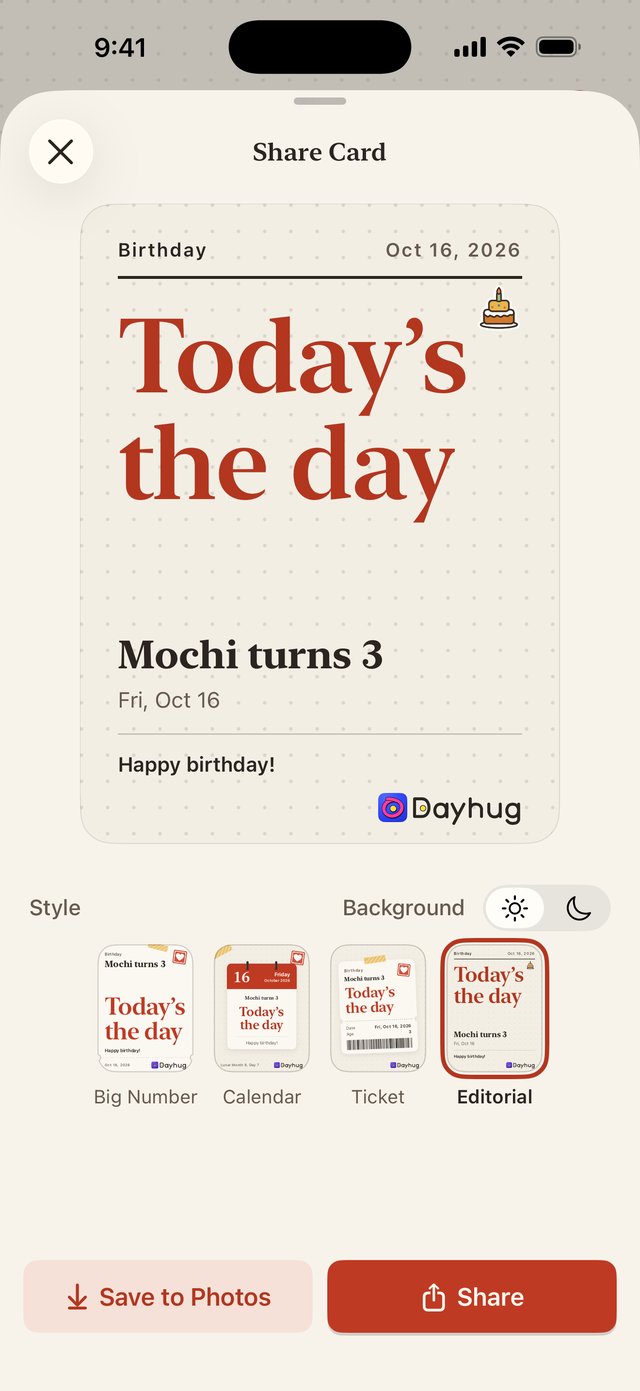
Share the Day as a Card
A birthday, an anniversary, the day you’ve been waiting for — turn it into a good-looking card and send it to the people who matter.
-
Pick a StyleBig Number, Calendar, Ticket or Editorial, on a light or dark background.
-
Save or ShareSave it to Photos, or send it with the share sheet.
-
Hide the LogoDon’t want the small Dayhug mark on the card? Turn it off in Settings.
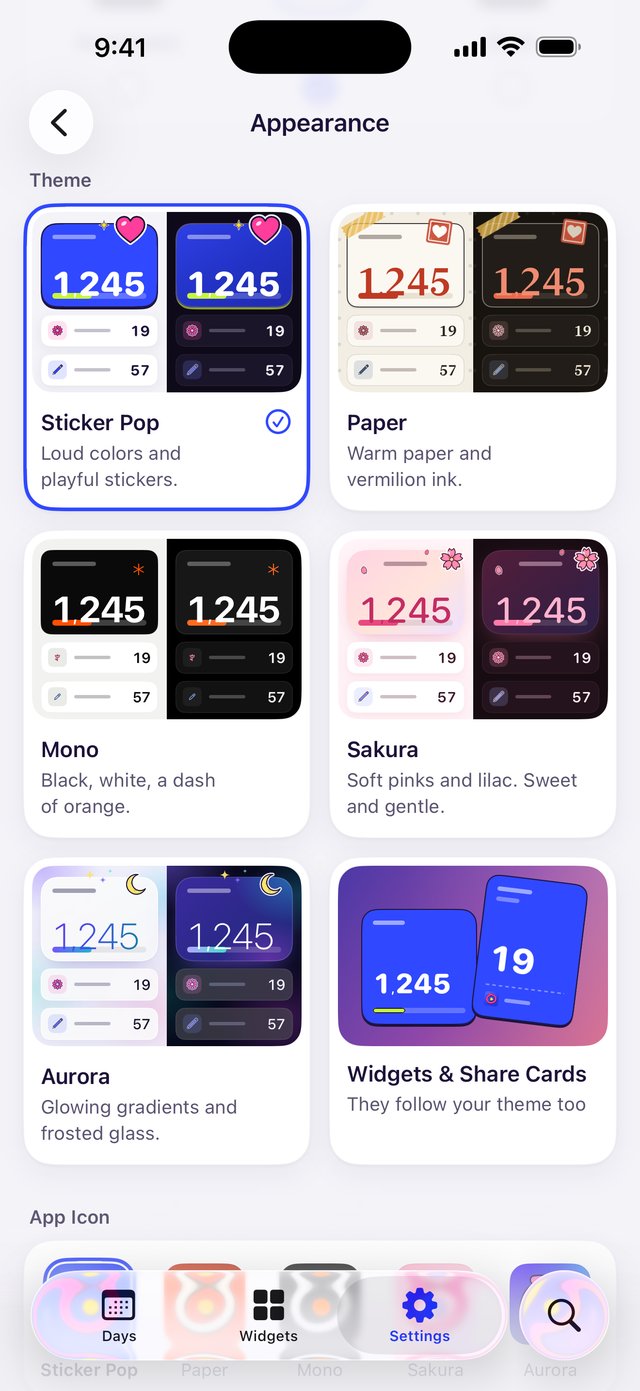
New Theme, New Mood
Sticker Pop, Paper, Mono, Sakura and Aurora — each carefully tuned in light and dark, or set to follow the system.
-
Matching App IconsEvery theme comes with an app icon to match. Switch whenever you like.
-
Widgets and Cards Follow AlongChange the theme and your widgets and share cards pick up the same colors.
-
Three LanguagesEnglish, Simplified Chinese and Traditional Chinese, switched right in the app and applied instantly.
The Little Things, Covered
Import from Contacts
Bring in birthdays in one go, lunar birthdays included. Ones you’ve already added aren’t duplicated.
Pick from Calendar
Choose the events that matter in your calendar and turn them into days.
Reminders
On the day, a few days ahead or a week or two before, at a time you choose.
Count Down or Up
Days left until, or days since. You decide whether the start date counts as day 1.
Stickers, Colors and Pins
Give each day a sticker and a color, and pin the one that matters most to the top.
Made for Everyone
Supports Dynamic Type, VoiceOver, Reduce Transparency and Increase Contrast.
Your Days Are Yours Alone
Dayhug collects no data. There’s no account and no server of ours — your days stay on your iPhone and in your own iCloud.
App Store Privacy Label: Data Not CollectedNo Account
Nothing to sign up for. Open it and start.
No Ads or Analytics
No ads, and no third-party analytics, tracking or SDKs.
Your Own iCloud
Days are stored on your iPhone and sync across your devices through your own iCloud. We can’t see them.
Imports Stay on Device
Contacts or Calendar access is requested only when you tap Import, read on your iPhone, and only what you select is saved.
Feedback is sent from your own Mail app, and you can see and edit everything before sending; the attached diagnostics are optional. See the Privacy Policy for details.
- PRICEFreeNo in-app purchases, no ads
- DEVICEiPhoneiOS 17 or later
- LANGUAGESEnglish and ChineseEnglish, 简体中文 and 繁體中文, switched in the app
- YOUR DATAStays with YouOn your iPhone and in your own iCloud
Frequently Asked Questions
How do I move my days to a new iPhone?
Sign in to the same Apple Account on both iPhones and turn on Dayhug in Settings › your name › iCloud. Your days sync automatically, and you can see the iCloud sync status in the app’s Settings. After reinstalling, wait for the first sync to finish before importing, so nothing is added twice.
When is a lunar birthday each year? What about leap months or a missing 30th?
Dayhug converts lunar dates with the iOS system calendar. When a birthday falls on a leap month or a 30th that doesn’t exist that year, it follows the lunar rule you choose in Settings, and the detail screen explains which day it falls on this time and why.
How do I add a widget? Why isn’t it updating?
Touch and hold an empty area of the Home Screen, tap Edit › Add Widget and search for Dayhug. Touch and hold the widget › Edit Widget to choose a day and style. Widgets refresh at midnight; if one looks wrong, open Dayhug once to refresh it.
How do I start a live countdown in the Dynamic Island or on the Lock Screen?
Open a day’s details and tap Start Live Countdown (available within 8 hours of the target time), or turn on Live Countdown on the Day in the editor so it starts by itself on the day (on iOS 17 and 18 you’ll first get a notification to tap). iOS limits a live countdown to 8 hours.
If it doesn’t appear, check that live countdowns are on in the app’s Settings and that Live Activities are allowed in iOS Settings › Dayhug.
Why am I not getting reminders?
Make sure notifications are allowed in iOS Settings › Notifications › Dayhug, and check your Focus settings. iOS keeps at most 64 pending reminders per app, so if you have a lot of days, open Dayhug now and then so it can schedule the next ones.
Is importing from Contacts or Calendar safe?
Access is requested only when you tap Import. Everything is read on your iPhone, only the birthdays or events you select are saved as days, and nothing is uploaded. See the Privacy Policy.
How do I delete my data?
Swipe left on a day or touch and hold it to delete it in the app. Deleting the app removes the data on your iPhone, and you can delete the iCloud copy in Settings › your name › iCloud › Manage Account Storage › Dayhug.
When are public holiday schedules updated?
After the General Office of the State Council publishes the next year’s mainland China holiday schedule, we add it in an update as soon as we can. Years that haven’t been published yet show no holiday schedule.
Does it cost anything?
Dayhug is free, with no in-app purchases and no ads.
Contact Us
In the app, go to Settings › Send Feedback, or email ytappledeveloper@163.com. Please include your iPhone model and iOS version. We’ll get back to you as soon as we can.
Circle the Days That Matter
iPhoneiOS 17 or laterFree, no account